Appearance
Settings and theme
Open Settings in the app navigation. Select Save after changing a setting.
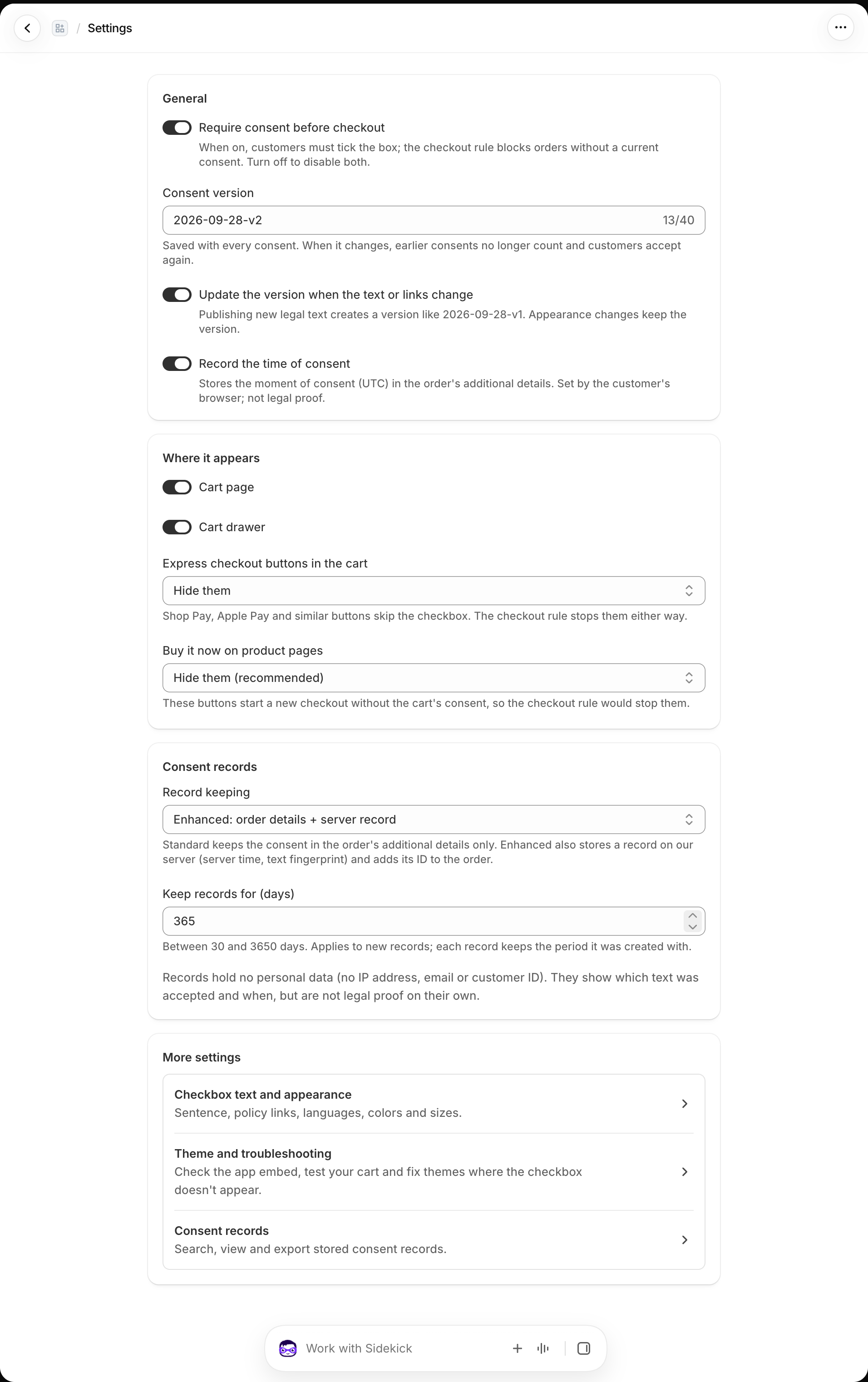
General
- Require consent before checkout turns the checkbox and checkout rule on or off together. Home → Turn on / Turn off controls the same state.
- Consent version identifies the published terms accepted by customers. Update the version when the text or links change advances it when those parts change, requiring customers with older cart consent to accept again.
- Record the time of consent adds the browser's UTC timestamp to the cart and order. That time comes from the customer's device.
Where it appears
Choose whether to show the checkbox on the cart page and cart drawer. For express checkout buttons in the cart, choose to hide them, show them disabled until consent, or leave them for the checkout rule to stop. For Buy it now buttons on product pages, choose whether to hide them or leave them to the rule. A product-page Buy it now flow starts without the cart's consent, so it cannot collect consent through this checkbox.
Record keeping
Standard keeps consent details with the Shopify order. Enhanced also creates a server record with a record ID, server time, version, and text fingerprint. Enhanced mode lets you search and export records in Consent records. Choose a retention period from 30 to 3,650 days. A new period applies to records created after you save it; existing records keep their original expiry. See Consent records for what those records can establish.
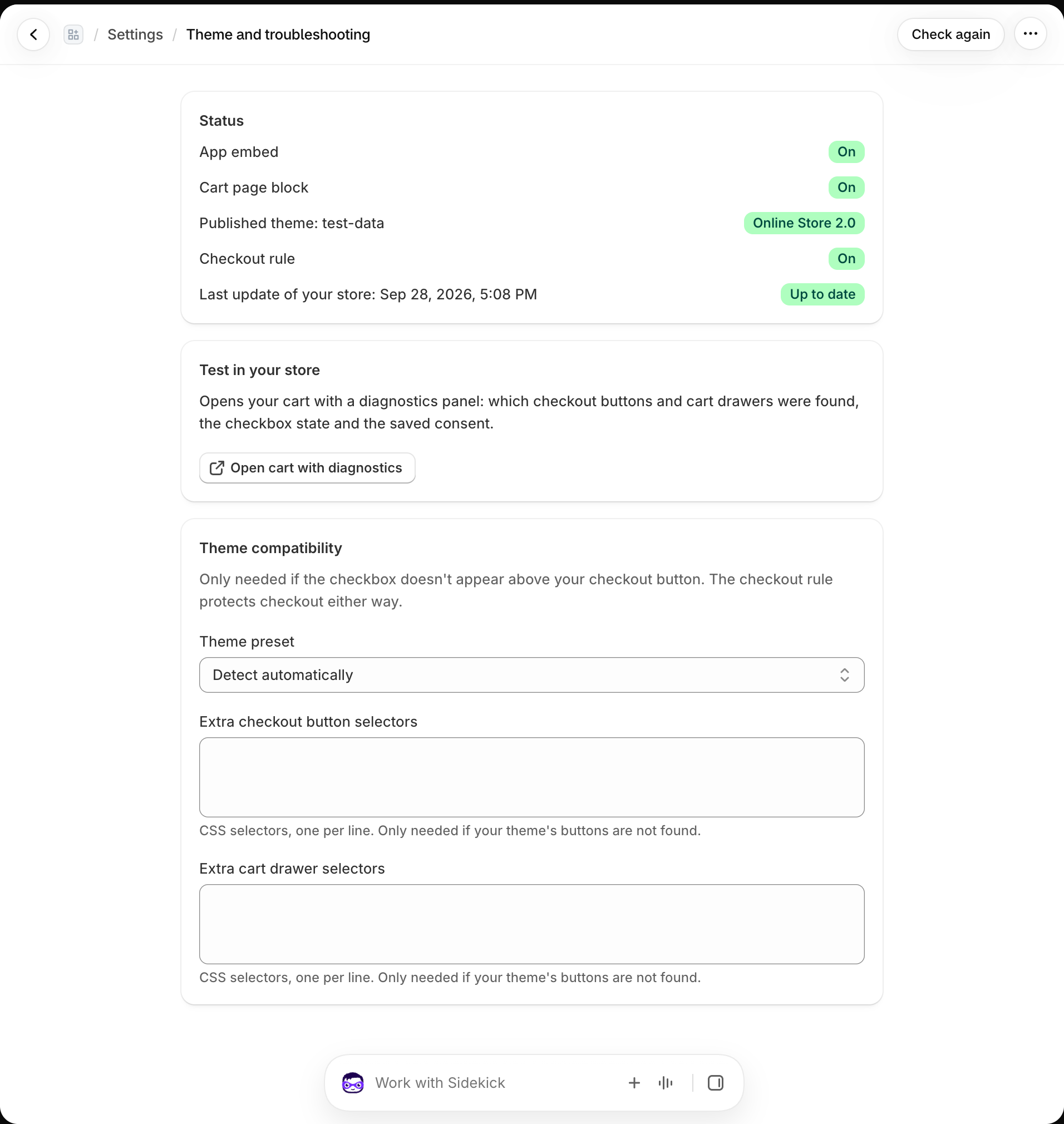
Theme and troubleshooting
Open Settings → Theme and troubleshooting to see the published theme, app embed, optional cart block, checkout rule, and last sync status. Open your cart with diagnostics helps identify the checkout buttons and drawers your theme uses. If a custom theme's buttons are not detected, choose a theme preset or add CSS selectors there.