
Appearance
Edit the checkbox
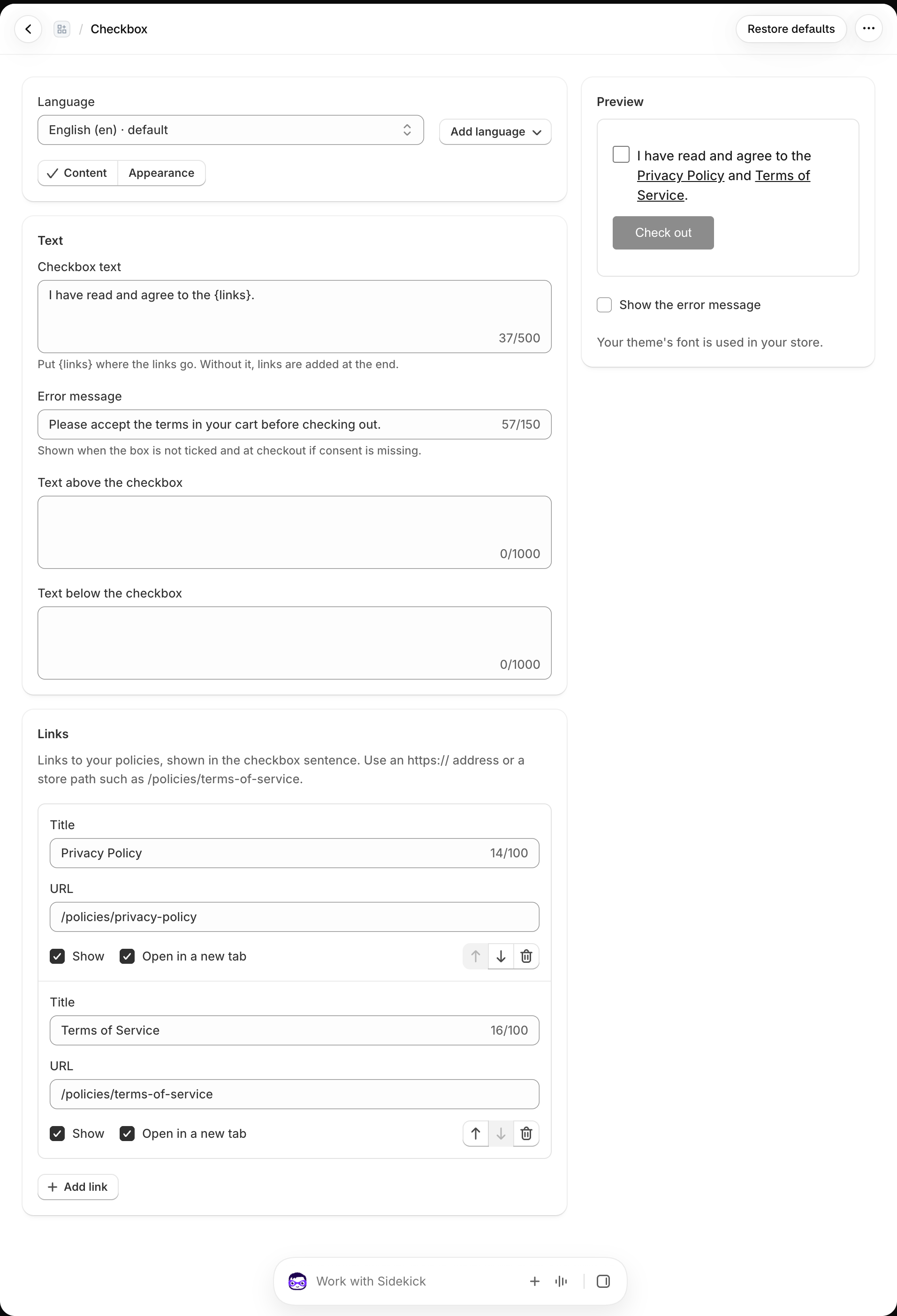
Open Checkbox → Content to change what customers read and the error shown when they have not accepted. The Preview updates while you edit; select Show the error message to inspect the error state. Changes reach the storefront after you Save.
Sentence and policy links
Write your Checkbox text with {links} where the policy links should appear. Add, reorder, or hide links as needed. A link can use an https:// URL or a store path such as /policies/terms-of-service or /pages/distance-sales-agreement. Check that each destination exists in your store before publishing.
Languages
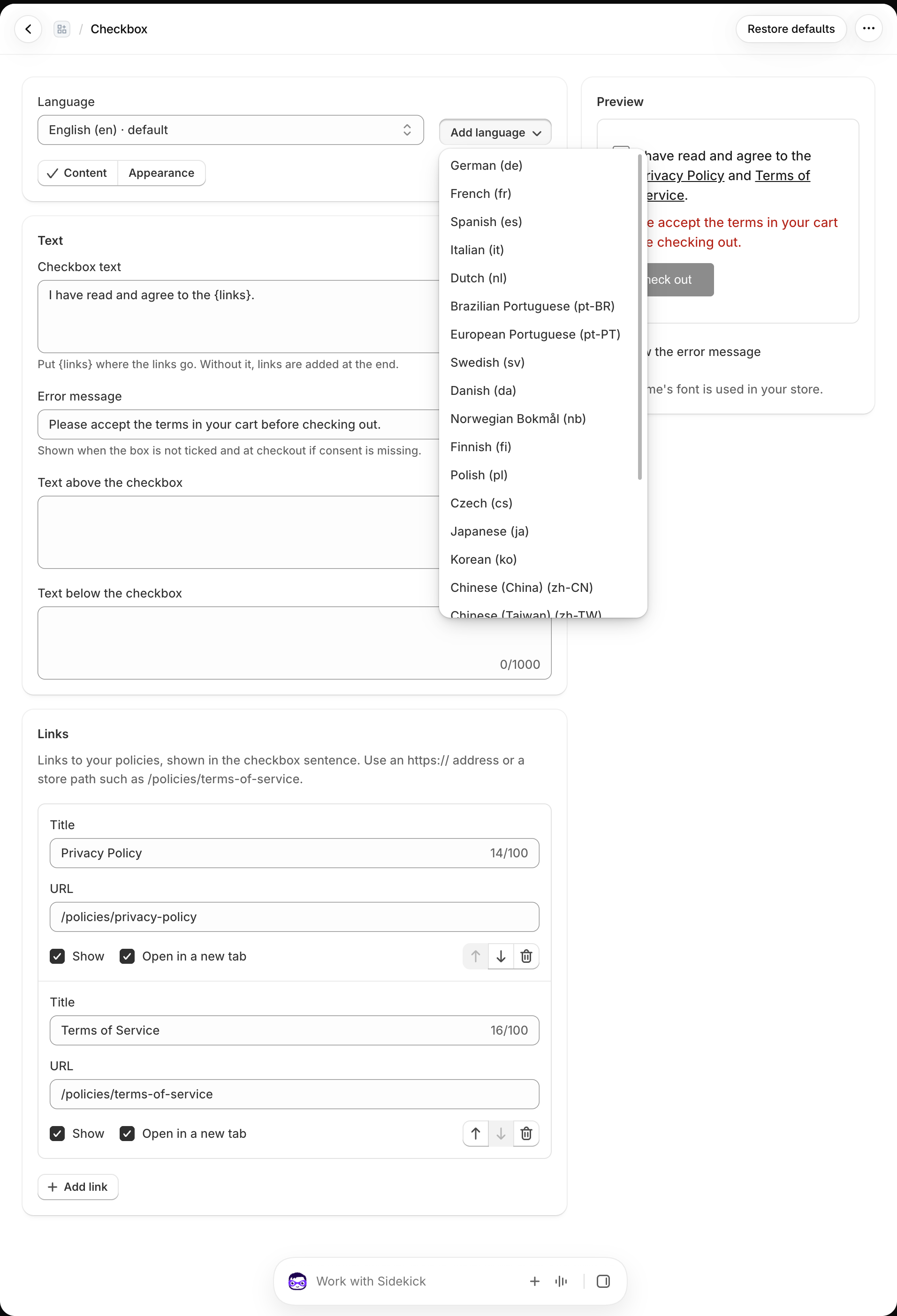
Select Add language for each storefront language you support. The app provides starting translations for the sentence, link titles, and error message in 25 languages; review the wording and destinations for your business. The customer's storefront language is used when configured. Otherwise the default language is shown.
Appearance and consent version
Under Appearance, adjust colors, font size, spacing, checkbox size, and alignment. The preview shows the result; the storefront uses your theme's font.
Saving changed text or links publishes a new consent version when automatic version updates are on. Customers who accepted an earlier version in an open cart must accept the new one. Appearance edits keep the same version. You can review the version and automatic update option under Settings → General. See Settings before changing a version manually.