
House Accounts for POS
Lilya: House Accounts for POS lets regular customers buy on account in Shopify POS and pay later. You give a customer a credit limit; staff sell on account with the Charge to account tile. The sale becomes an unpaid Shopify order with Net 30 payment terms (or the customer's own terms) and an optional PO number, and it is refused if it would take the customer over their limit.
The app shows each customer's balance, credit limit, and overdue amount in POS and in the admin, ages open orders (0–30, 31–60, 61–90, and over 90 days), and prints or emails customer statements.
Shopify stays the record of every sale and payment. The balance is always the sum of the customer's unpaid orders in Shopify: when you collect a payment on an order, the balance goes down. The app never records payments itself.
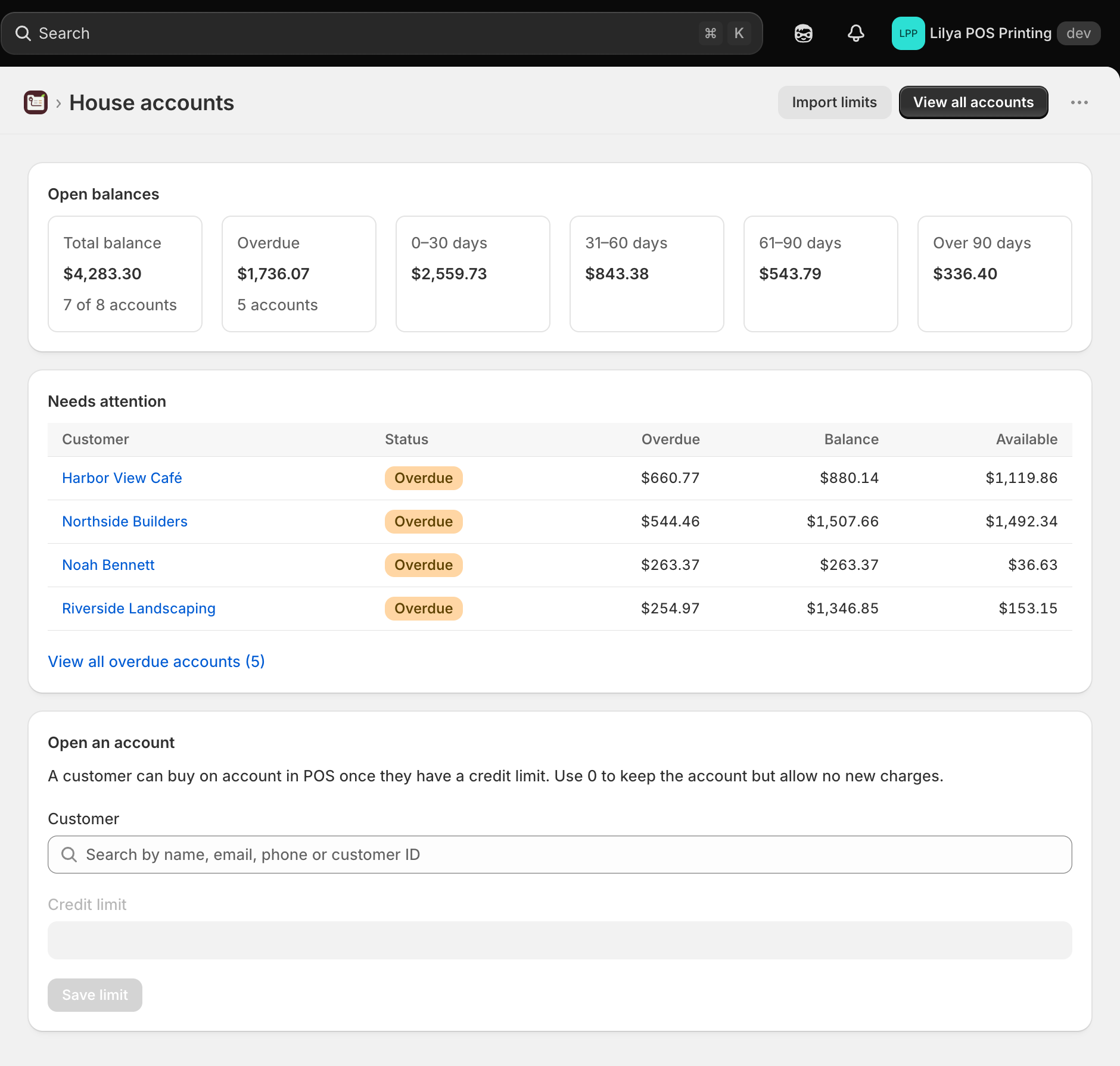
Where to find things
| Place | Use it for |
|---|---|
| Shopify admin → Apps → Lilya: House Accounts for POS (home) | Setup steps until setup is done, Open balances with aging, Needs attention (overdue, over-limit, and on-hold accounts), Open an account, and your plan. |
| Accounts | Every house account in one table: search, Show filters, Sort by, aging columns, Export CSV, Import limits, and Open account. |
| Account page (select a customer) | One customer's balance, limit, aging, open orders, statements, Put on hold, payment terms, an internal note for staff, and Close account. |
| Import limits | Set many credit limits at once from a CSV file. |
| Settings | Payment terms, PO numbers, and the hand-over default for sales on account, plus statement emails and overdue reminders (Pro). |
| Shopify POS → Charge to account tile | Sell the cart on account. |
| Shopify POS → Customers → a customer | The House account block with balance, limit, and overdue amount. |
Start with the quick start.