
Troubleshooting
The Charge to account tile isn't in POS
Shopify never adds app tiles by itself. Add it on the POS home screen with Add tile → Lilya: House Accounts for POS → Charge to account, or in Shopify admin under Point of Sale › POS app › Edit › smart grid › Add tile › Embedded apps. Do this for each location or smart grid template. See the quick start.
The tile can't be tapped
The tile needs a customer in the cart, at least one item, and an internet connection. Its subheading says which is missing: Add a customer, Add items to the cart, or Offline.
The tile says "No house account"
The customer has no credit limit. Set one in Open an account on the app home. On the Free plan you can have up to 3 accounts; see Plans.
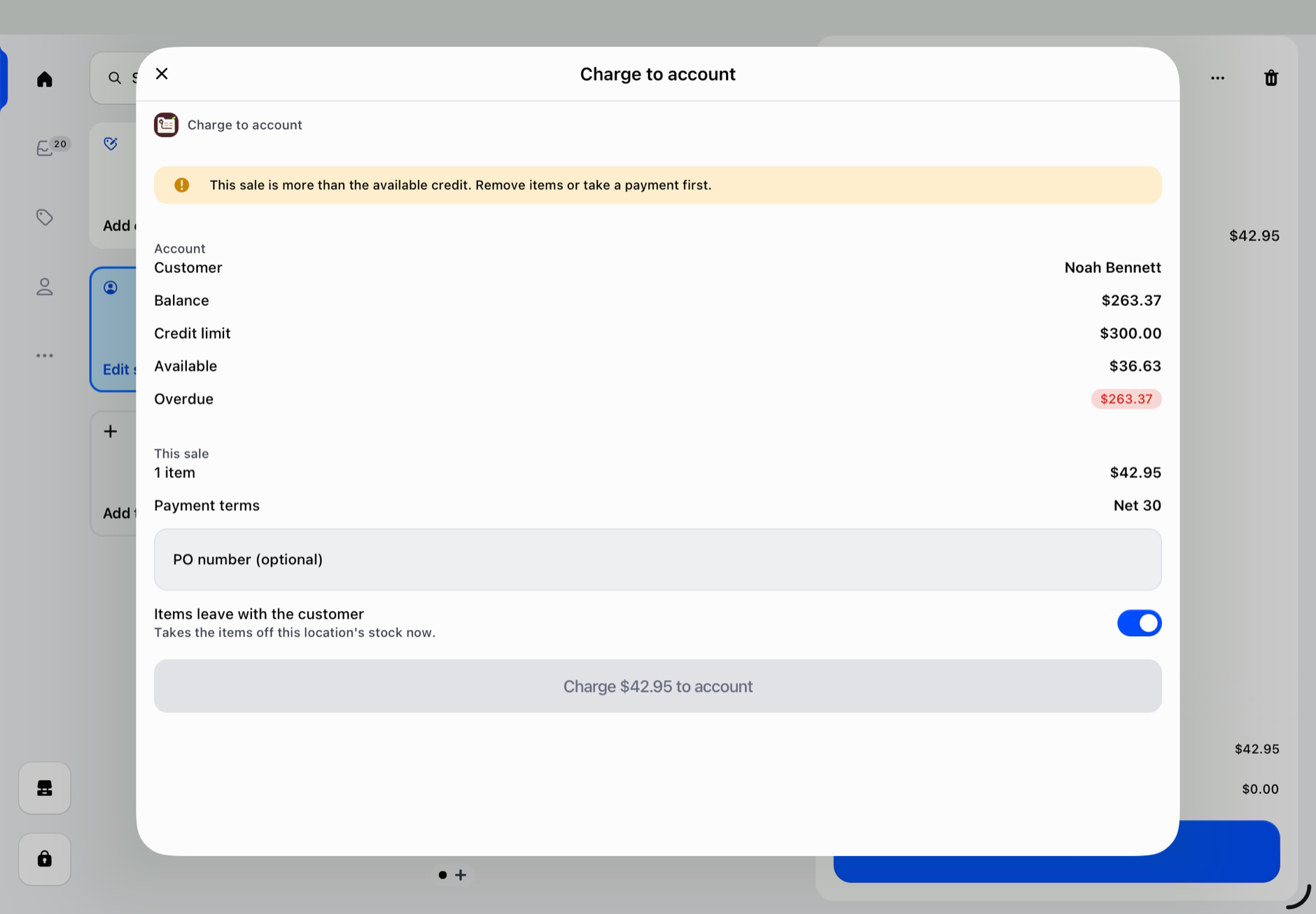
The Charge button is disabled: "This sale is more than the available credit"
The balance plus this sale would pass the credit limit, so the Charge to account screen shows "This sale is more than the available credit. Remove items or take a payment first." and the Charge button can't be tapped. If the limit is reached on another till at the same moment, the app refuses the sale with "Over the credit limit. Available: $…" instead. Sales closed with Shopify's Mark unpaid or Mark as partially paid count toward the balance too. Take part of the payment, remove items, or raise the limit on the account page.
The tile says "Account on hold"
The account is on hold, so the Charge to account screen shows "This account is on hold. New charges are refused; the balance can still be paid." and the Charge button is disabled. The credit limit is unchanged. To allow sales on account again, open the account page in the app and select Make active; see Put an account on hold. Until then, take a payment for the sale.
"Another till is charging this customer"
Another till sold to the same customer a moment ago. Wait a few seconds and tap the button again.
"The result is unknown"
The connection dropped while Shopify was creating the order. Check Orders for the sale before you try again, so it isn't created twice.
A customer has a limit but I can't find them
Every customer with a credit limit is on the Accounts page, also with a $0.00 balance. Check the Show filter (choose All or No balance) and clear the search. The app home lists only the accounts that need attention.
The balance looks wrong
The balance is the sum of what the customer's unpaid orders still owe in Shopify. Open the account page to see each order and its type. Online orders with a manual payment method are listed under Other unpaid orders (not in the balance) and are not counted. Check payments and refunds on the order in Shopify admin.
Statement emails don't arrive
Check that the customer has an email address in Shopify and ask them to look in their spam folder. Emails come from notify@lilya.work. Automatic monthly statements and reminders need the Pro plan; Statements this month in Settings shows how many were sent and failed.
A statement or export link says it has expired
These links are short-lived. Go back to the app in Shopify admin, reload the page, and open the link again.
"The app needs to reconnect to this store"
Open Lilya: House Accounts for POS once in Shopify admin, then try again in POS.
If the issue remains, contact support with your store, the order number or customer, and any error text.