
CSV import and export
Export accounts
On the Accounts page, select Export CSV. The file house-accounts-<date>.csv has one row per house account, including accounts with a $0.00 balance, and these columns:
customer, email, customer_id, currency, balance, credit_limit, status, available, overdue, days_0_30, days_31_60, days_61_90, days_over_90, open_orders, oldest_order_date
status is active or on_hold (see Put an account on hold). Internal notes are not exported.
Amounts are plain numbers without currency symbols, so spreadsheets read them as numbers. The file opens correctly in Excel, including accented names.
Import credit limits
Open Import limits from the app menu, the app home, or the Accounts page.
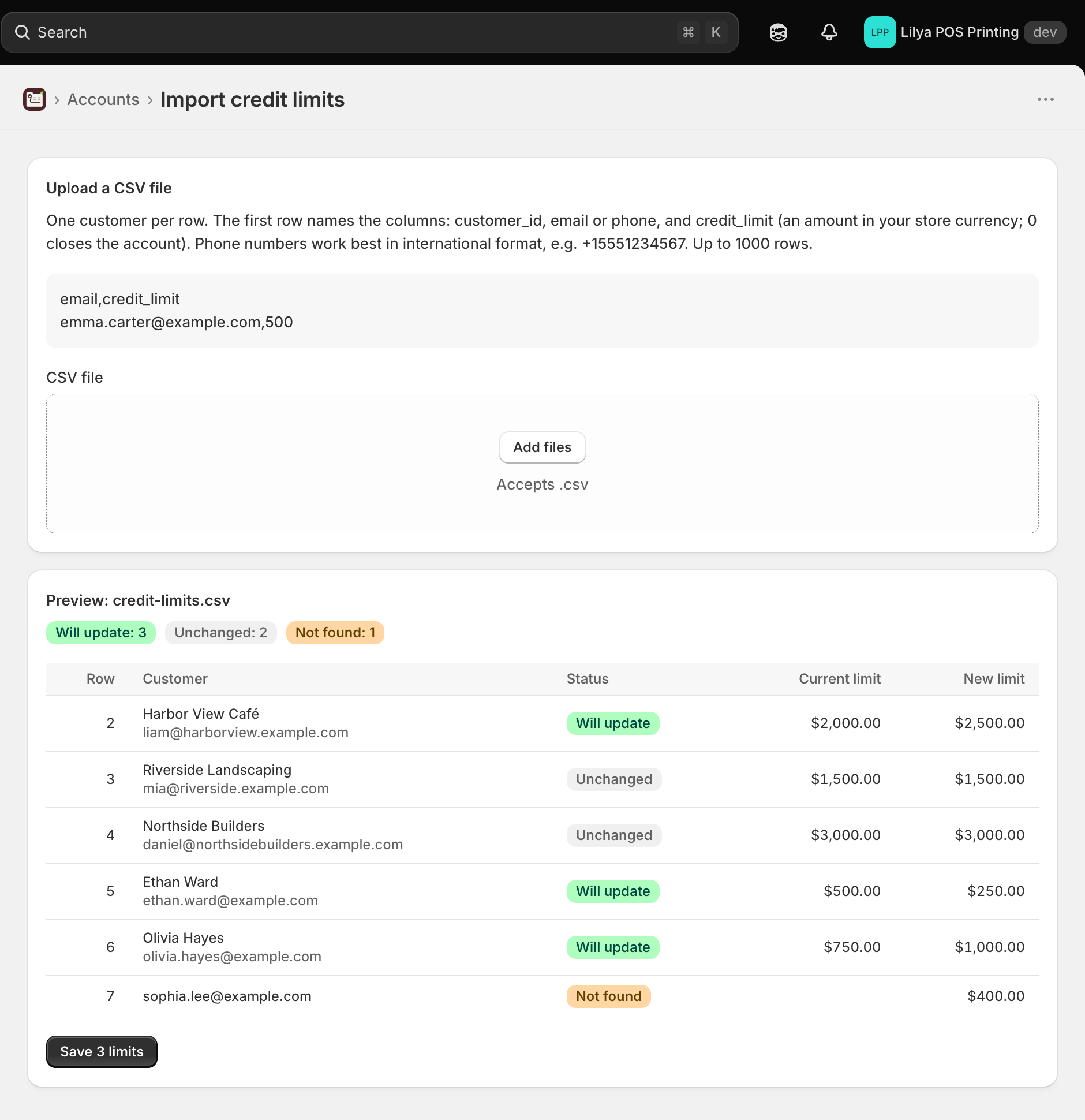
Prepare a CSV file with one customer per row. The first row names the columns: customer_id, email, or phone to find the customer, and credit_limit, an amount in your store currency. 0 closes the account. Up to 1,000 rows.
csvemail,credit_limit emma.carter@example.com,500Phone numbers work best in international format, for example
+15551234567. Thecustomer_idis the number at the end of the customer's URL in Shopify admin, and thecustomer_idcolumn of the export file.Drop the file on CSV file or select it. The app checks every row against Shopify and shows a Preview.
Check the Status of each row, with the Current limit and New limit:
Status Meaning Will update The limit will be saved. Unchanged The customer already has this limit. Not found No customer matches the ID, email, or phone. Several customers More than one customer matches; use customer_idinstead.Listed again below The customer appears again later in the file; the later row is used. Invalid The row can't be read, for example a missing or negative limit. Needs Pro plan The row would open more accounts than the Free plan includes. It is skipped. Select Save … limits. "… credit limits saved" confirms it.
On the Free plan, rows that set a limit to 0 free their slots first; new accounts then take the free slots in file order, up to 3 accounts in total.