
Customer screen in POS
Turn the block on once first: in Shopify admin go to Point of Sale › POS app › Edit › Apps, choose Charge to account, turn on Activate on (Customer details) and Save. Shopify doesn't turn app blocks on automatically.
In Shopify POS, open Customers, select a customer and scroll down. The House account block shows:
- Balance: the total of the customer's unpaid orders
- Status: On hold when the account is on hold
- Credit limit and Available
- Overdue, in red, when an order is past its due date
- the number of open orders, for example "1 open order"
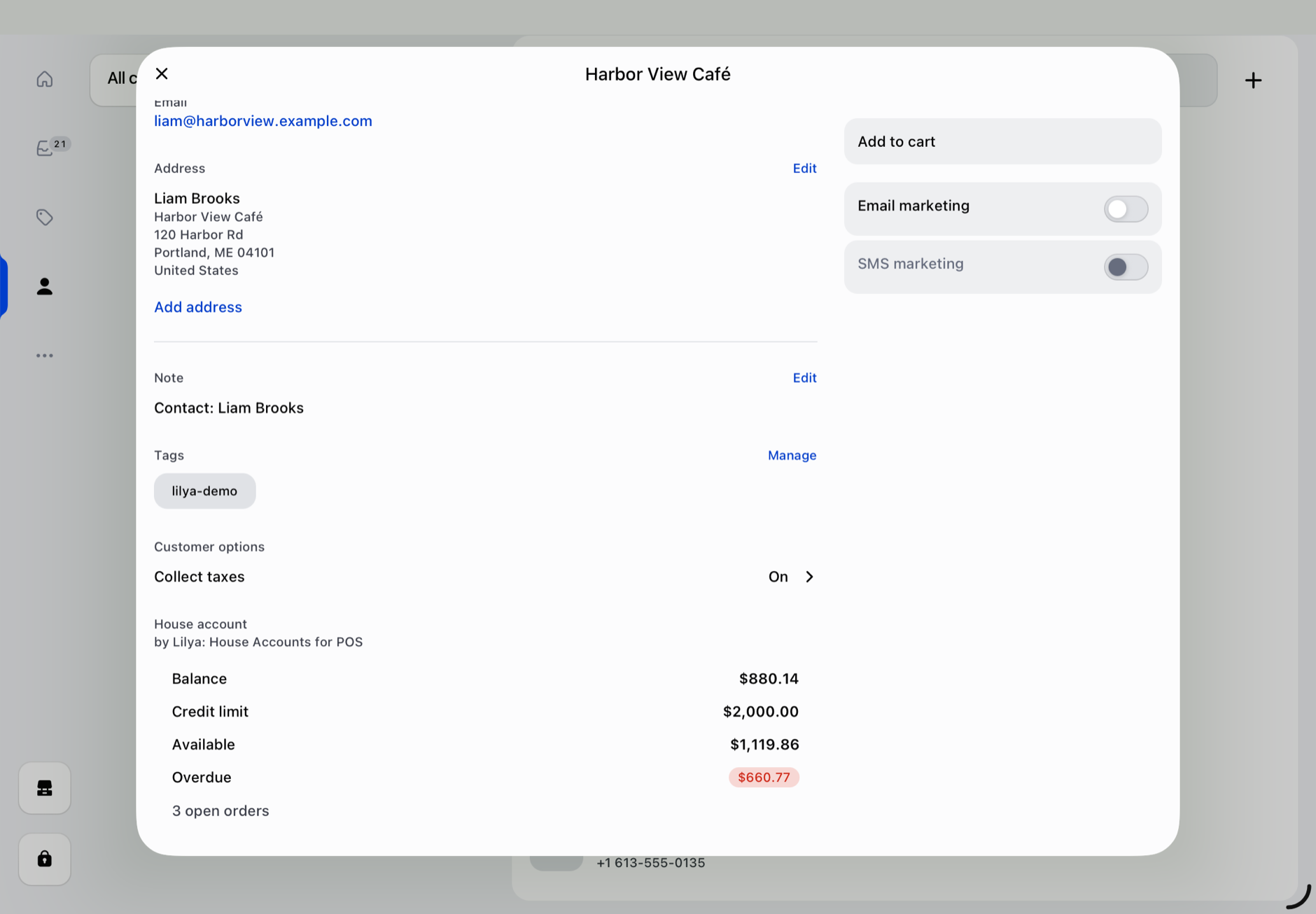
If the customer has no credit limit, the block shows their balance and "No house account. Set a credit limit in the Lilya app in Shopify admin."
If the account can't be loaded, the block says "The account couldn't be loaded." Tap Try again.