
Settings
Open Settings in the app menu. Select Save after changing anything.
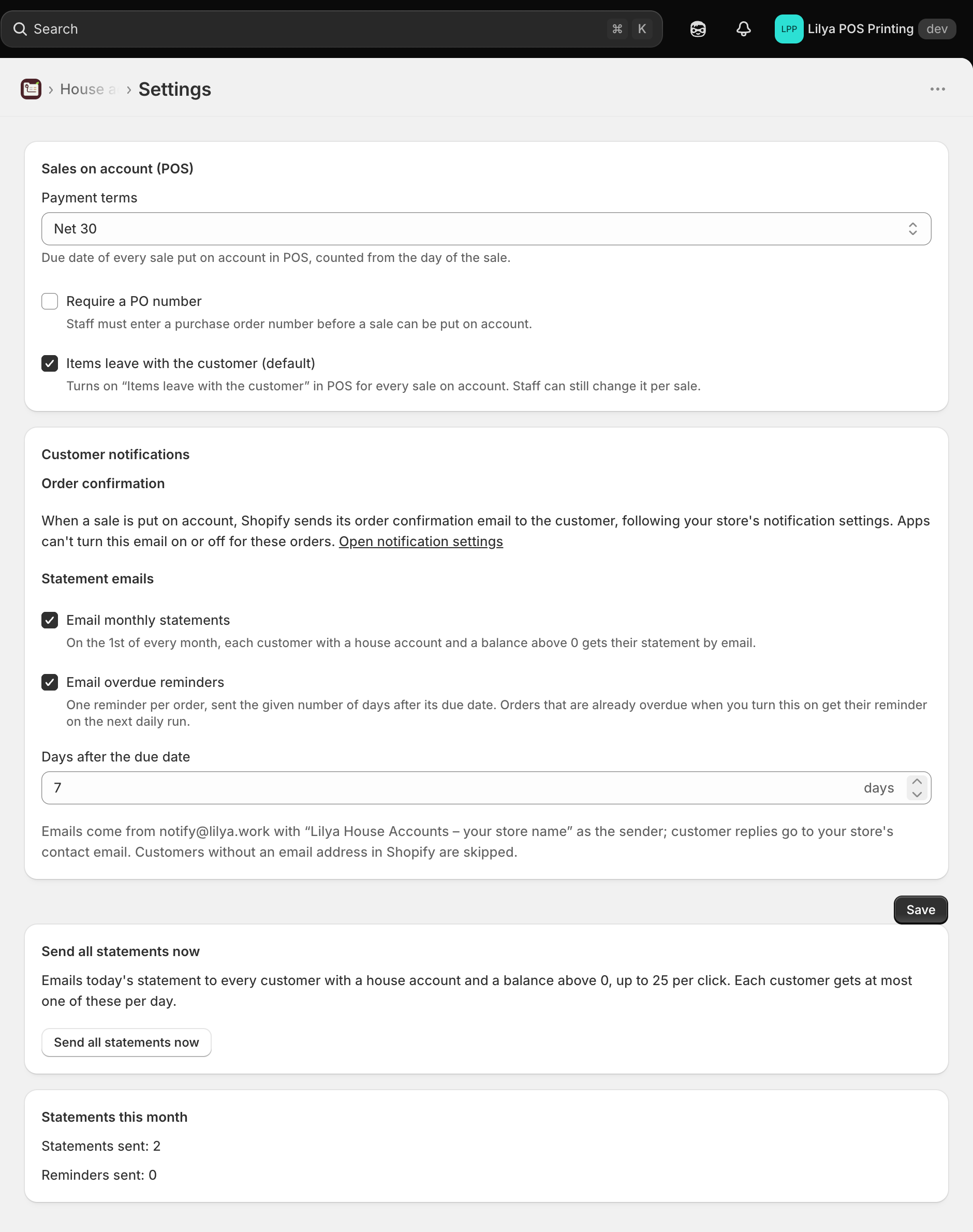
Sales on account (POS)
These settings apply to every sale made with the Charge to account tile, on every plan.
| Setting | What it does |
|---|---|
| Payment terms | The due date of every sale put on account, counted from the day of the sale. Net 30 by default; the list shows the net terms Shopify offers on your store. Changing it affects new sales only. A customer's account can use its own terms instead. |
| Require a PO number | Staff must enter a purchase order number before a sale can be put on account. In POS the field then reads PO number (required), and the charge is refused without one. |
| Items leave with the customer (default) | Turns on Items leave with the customer in POS for every sale on account, so the order is marked as fulfilled and stock goes down right away. Staff can still change it per sale. Turn it off if you usually deliver or hand over the items later. |
If the chosen terms are no longer offered by Shopify on your store, a warning asks you to pick other terms; until then sales on account are refused.
Customer notifications
Order confirmation
When a sale is put on account, Shopify sends its own order confirmation email to the customer, following your store's notification settings (Shopify admin › Settings › Notifications). Apps can't turn this email on or off for these orders. Open notification settings takes you there.
Statement emails (Pro)
Email monthly statements, Email overdue reminders with Days after the due date, and Send all statements now. See Automatic statements.
Statements this month shows how many statements and reminders were sent and how many failed.
On the Free plan the statement email controls are disabled and name the Pro plan. See Plans.