
Usage and cleanup
Check usage
On a batch page, open Usage and select Check usage (Basic plan and above). The app asks Shopify how often each code was used and shows Used codes and Unused codes. It takes about 30 seconds for a large batch. Shopify updates usage counts with a short delay after an order. The app reads counts per code only; it never sees who used a code or the order.
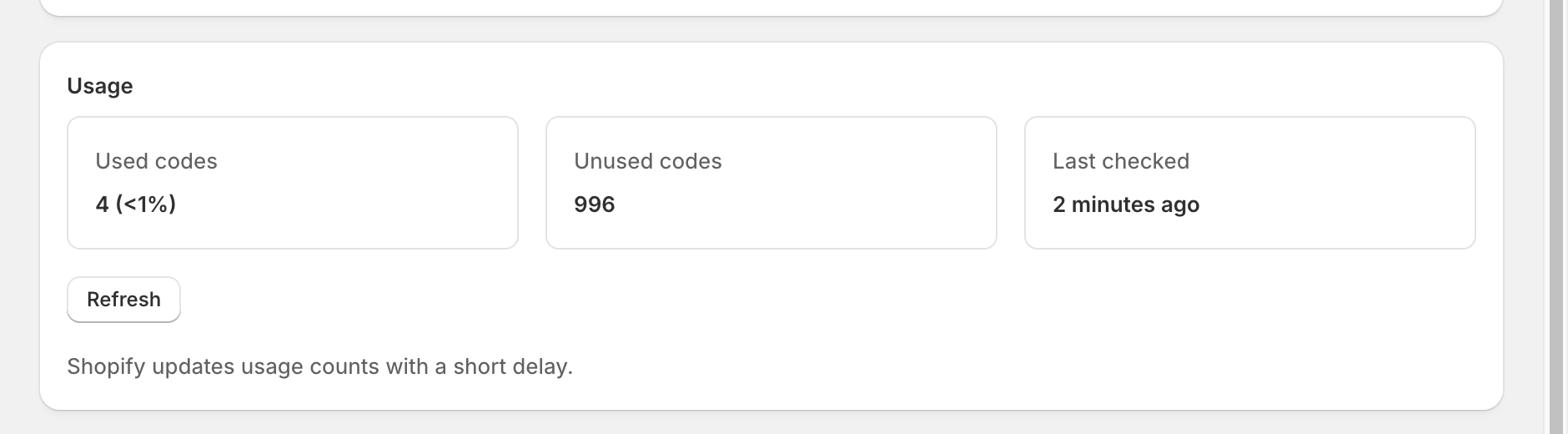
Usage also refreshes automatically: once a day on Basic and every hour on Pro and Unlimited. The Used column on Batches shows the latest count. Counts older than an hour are shown as "about".
Delete unused codes
Delete & deactivate → Delete unused codes removes codes that were never used from the Shopify discount. Used codes are never deleted, so your orders and reports stay intact. The dialog states how many codes will be removed. If the discount also contains codes that weren't added by this batch, only the batch's own codes are considered.
Deactivate or delete
- Deactivate discount ends the discount in Shopify now. Codes stay but stop working.
- Delete batch removes the batch from this app. The discount and its codes stay in Shopify; delete unused codes first if you want them gone.
You can do the same for several batches at once on Batches: select them and choose an action.
Automatic cleanup
On the Unlimited plan, Settings → Automatic cleanup deletes unused codes a set number of days (1–365) after a discount ends. It applies to batches whose discount was created in the app with an end date.
Shopify's 20 million code limit
Shopify allows up to 20,000,000 discount codes per store, including codes from other apps. Home shows how many codes your store has and warns at 50%, 80%, and 95%. Deleting unused codes frees up space; the count updates after Shopify finishes the deletion.