
Quick start
- Install Lilya: Bulk Discount Codes. The app opens on the Free plan with 1,000 codes per month; you can change plans later.
- Select Create batch. On Discount, keep Quick setup, enter a batch name, and choose the discount type and value, for example Percentage off and 10. Select Continue.
- On Codes, keep Generate random codes, enter the Number of codes and an optional Prefix such as
WELCOME-. Check the example codes, then Continue. - On Review, check the summary and select Create. The batch page shows each stage while codes are added to Shopify. You can leave the page; the batch keeps running.
- When the batch shows Completed, open Export codes, choose a format, and select Prepare file. See Export and share.
- Give each customer one code: upload the file to your email platform, print QR coupons, or share links.
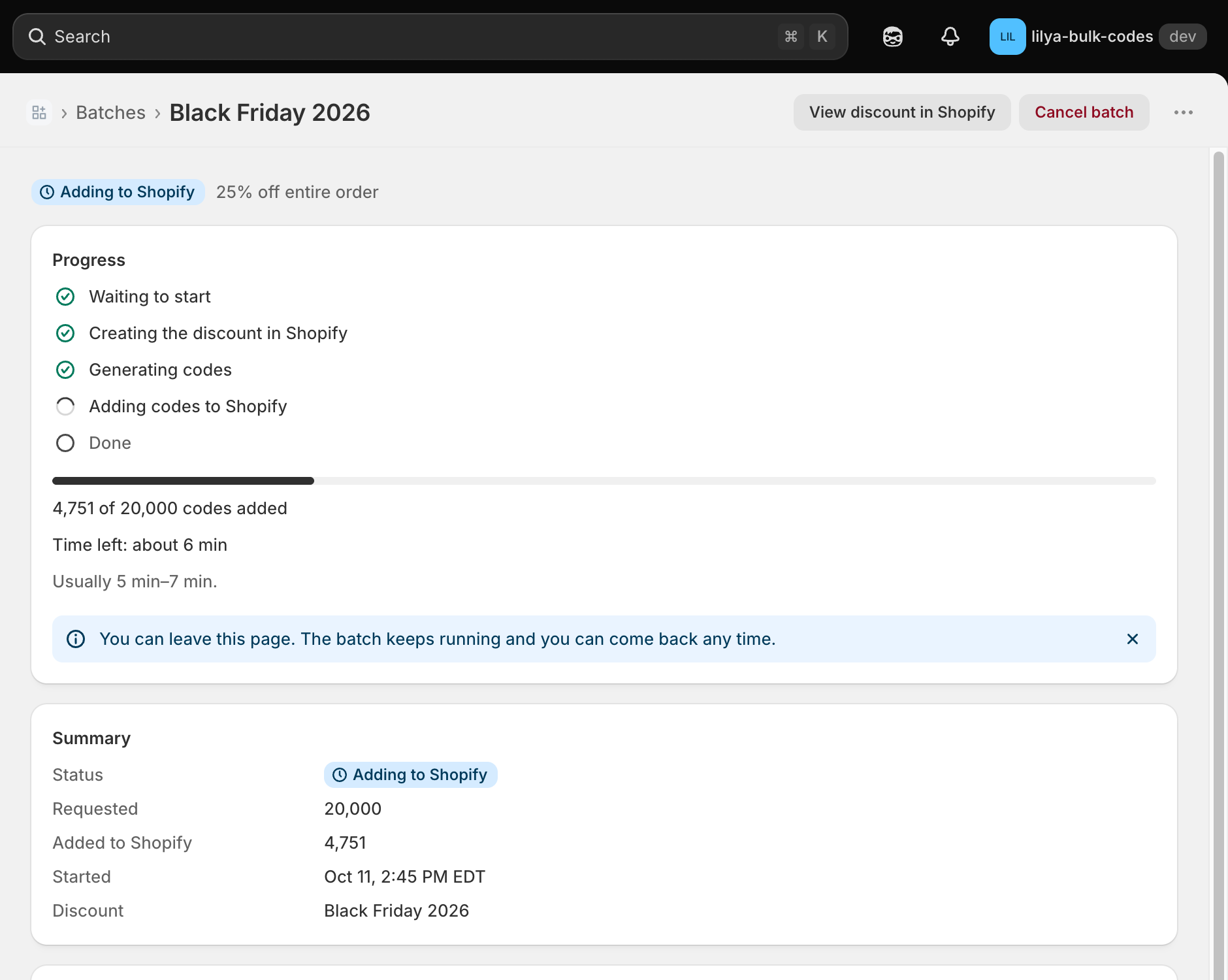
The discount appears in Shopify admin → Discounts under the batch name, with all its codes.
Watch the walkthrough
This 4.5-minute demo uses a development store. It creates a batch, imports codes, exports them, looks up a code, checks usage, prints QR coupons, deletes unused codes, and shows Shopify Flow.
The video has English captions on screen and no audio.