
Export and share
Open a finished batch and go to Export codes. Choose which codes (All codes, Unused codes, or Used codes after a usage check), a Format, and select Prepare file. Small files are ready at once; large ones are prepared in the background. The download link works for 10 minutes, and the file stays under Recent files for 7 days.
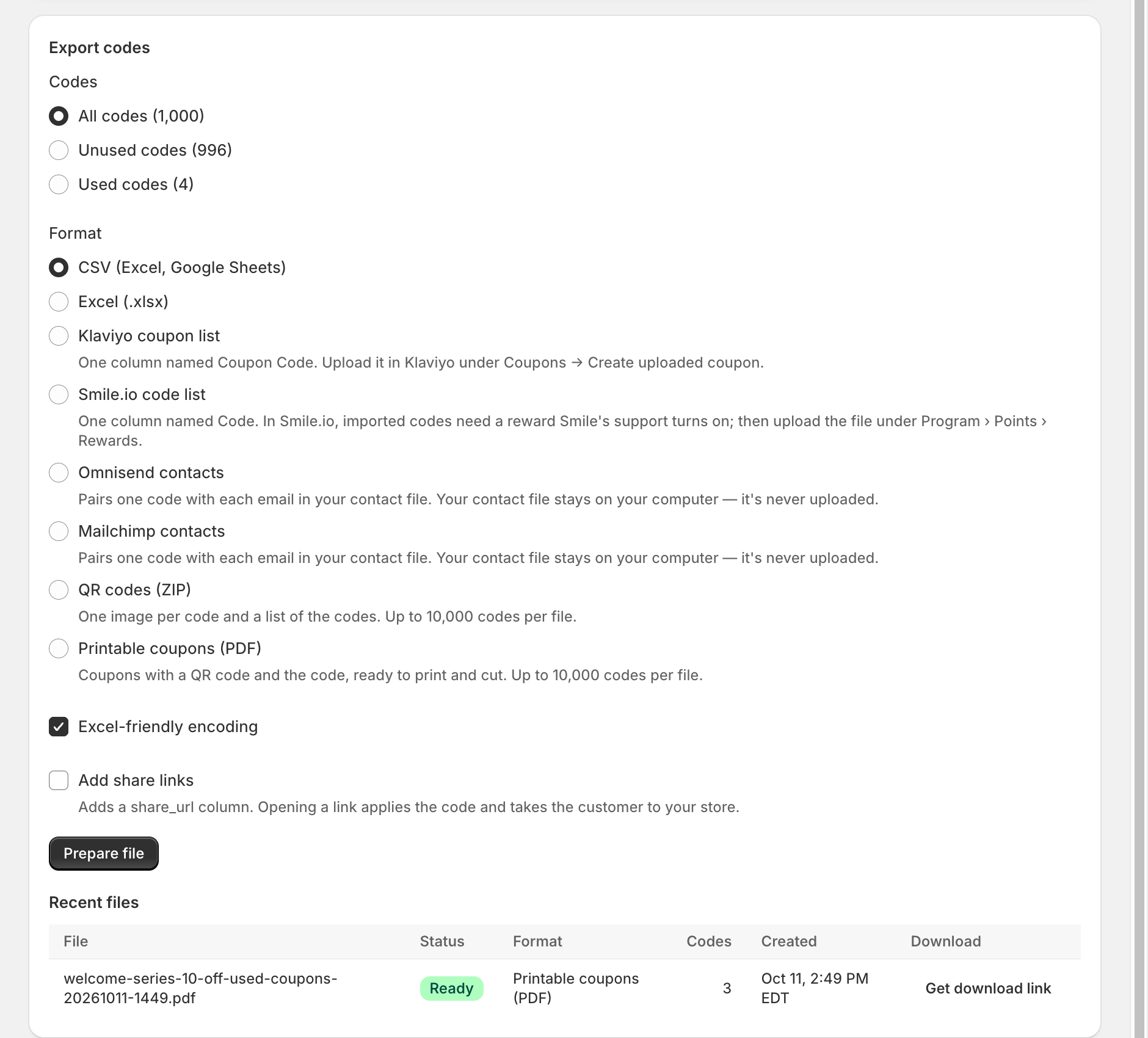
Formats
| Format | What you get | Plan |
|---|---|---|
| CSV (Excel, Google Sheets) | One code per line with a header. Excel-friendly encoding keeps special characters readable in Excel. | Free |
| Excel (.xlsx) | The same list as an Excel workbook. | Basic |
| Klaviyo coupon list | One column named Coupon Code. Upload it in Klaviyo under Coupons → Create uploaded coupon. | Basic |
| Smile.io code list | One column named Code. Smile's support team must turn on imported codes for your reward first. | Basic |
| Omnisend contacts / Mailchimp contacts | Pairs one code with each email in your contact file. | Basic |
| QR codes (ZIP) | One PNG or SVG image per code and a list of the codes. Up to 10,000 codes per file. | Pro |
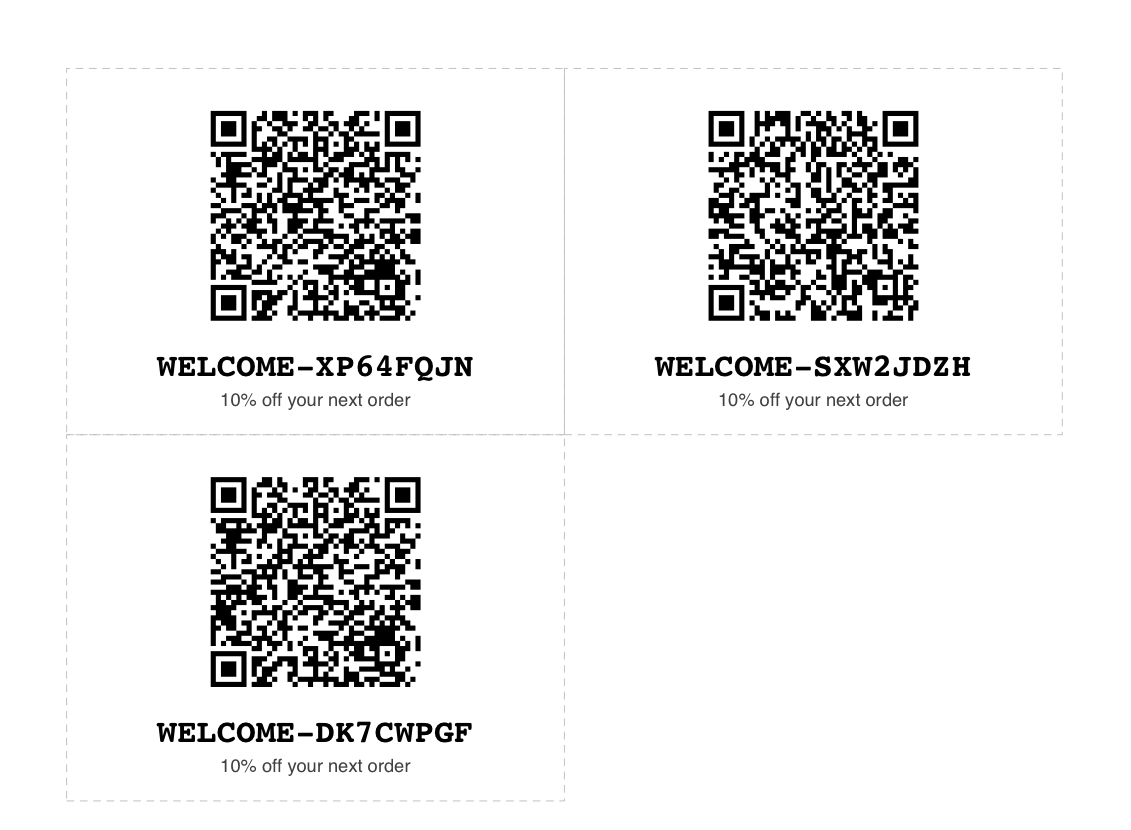
| Printable coupons (PDF) | Coupons with a QR code and the code, ready to print and cut. Up to 10,000 codes per file. | Pro |
Omnisend and Mailchimp contact pairing
Choose your exported contact file. The app reads it in your browser and adds one unused code to each contact, so you can import the result back and use the code as a merge field. Your contact file and its email addresses are never uploaded.
Share links
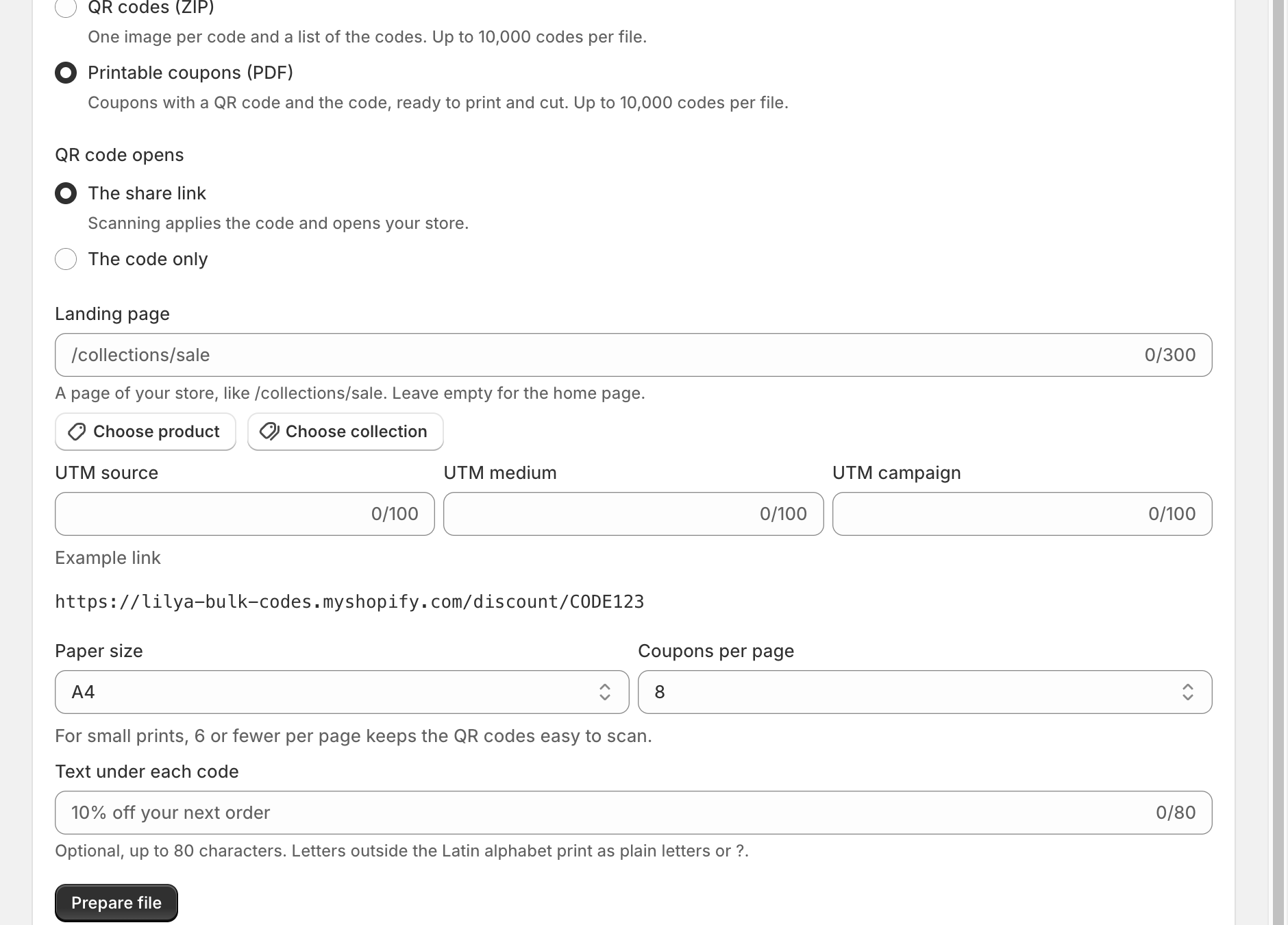
On the Pro plan, Add share links adds a share_url column. Opening a link applies the code in the customer's cart and takes them to your store. Choose a Landing page (a product, a collection, or any page that starts with /) and optional UTM source, UTM medium, and UTM campaign values for your analytics.
QR codes and printable coupons
For QR codes (ZIP) and Printable coupons (PDF), choose what the QR code opens: The share link (scanning applies the code and opens your store) or The code only. For PDFs, choose the Paper size (A4 or US Letter), Coupons per page (1–10; 6 or fewer keeps QR codes easy to scan), and optional Text under each code, such as "10% off your next order".
For batches over 10,000 codes, export Unused codes only, or use a CSV with share links.